Atul Nene
Pine Color : Kesar Black
You will need to set the following color palette for your terminal, in order to see these colors in Pine color settings. You will want to set only 8 or all 16 colors depending on how many colors you will use in Pine. Alternatively, if you use KDE, you might just find it simpler to put the schema file kesarblack.schema in your "$HOME/.kde/share/apps/konsole" directory and then just select the scheme for konsole through its Settings->Schema menu.
Color Palette for your Terminal :
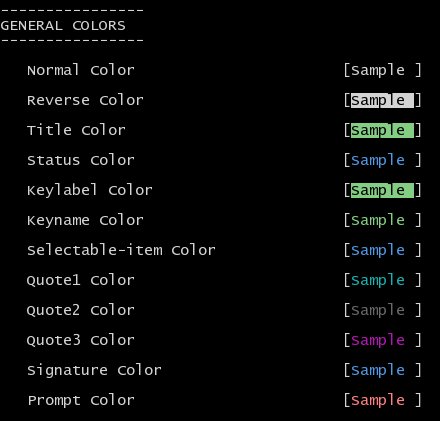
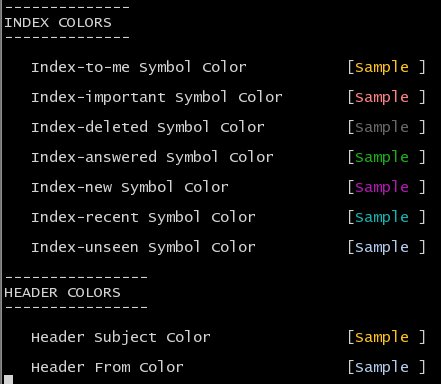
Change pine color settings (using keystrokes - MSK) to the following :
or put the following in .pinerc :
# When viewing messages, these are the header colors
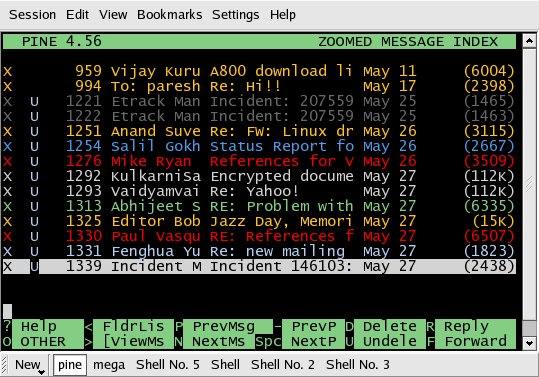
And see the result :
[Note that part of the colors seen here are due to Pine's Index Colors (keystrokes - MSRI)]
and
If you use vi(m) as external editor for Pine, then you will want to have
the following in your vimrc. What I do is put these in a separate .vimrc,
like .vimrc_for_pine and invoke vi to use this one, when invoked from pine.
For this, have the setting in pine config (keystrokes - MSC) as
The ".vimrc_for_pine" should look like
and your "$HOME/.vim/colors" directory (create one if it doesnt exist)
should contain the vim colorscheme file kesarblack.pine.vim
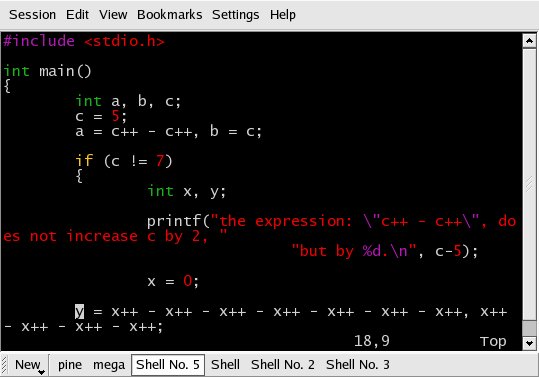
If you do any coding, you will want to use the following syntax colors in
your default .vimrc. Assuming you use the same terminal color settings
throughout your desktop, they would in fact be necessary.
and your "$HOME/.vim/colors" directory (create one if it doesnt exist)
should contain the vim colorscheme file kesarblack.vim
|
Message in Public Interest

|